Topology and Model Checks
- Select a member and choose Split in its inspector, or Edit > Split Selected Member, to divide it at a fraction measured from its start node. The first segment keeps the original member ID. Point loads and moments retain their physical locations; a load at the split becomes a nodal load at the new joint.
- Edit > Connect Intersections splits crossing members and T-junctions into explicit segments sharing one node. Existing interior nodes are also connected. Splitting and connecting are each a single undoable edit.
- Edit > Check Model reports overlapping members, interior-node connections that need splitting, and disconnected groups in the Model Findings dock. Select a finding and press Select affected geometry to highlight its referenced entities in the canvas and tree. Zoom to affected geometry, or double-clicking a finding, also frames the affected area in 2D/3D. Analysis failures also populate this dock, including recognized node/DOF instability references. General failures without a specific reference remain readable with selection and zoom disabled. Referenced loads are revealed when navigating to them. Navigation does not edit the model. Engineering edits clear findings; unit changes preserve them. Analysis also runs the model checks.
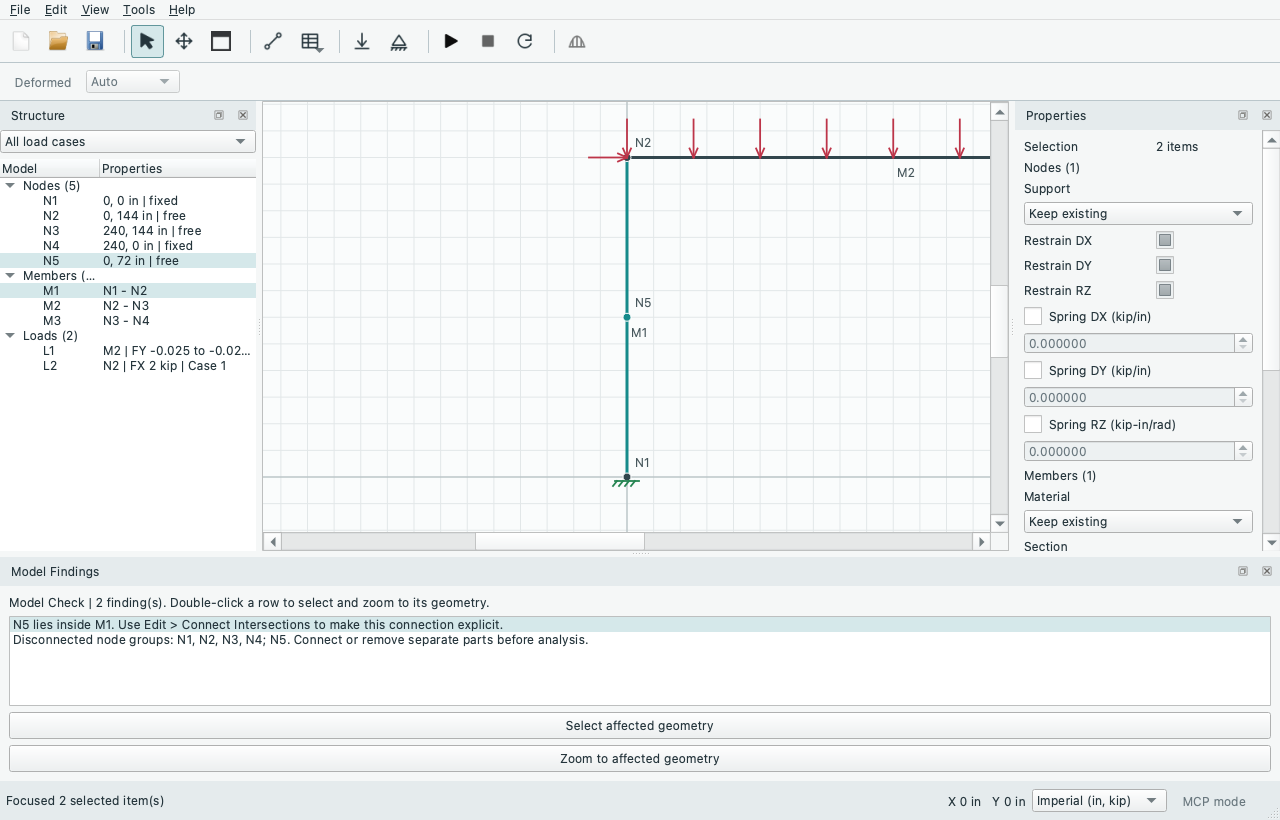
Open the image for full-size text. To reproduce this connectivity finding, open File > Examples > 2D Frames > Portal Frame - Distributed Load and add a node at (0, 72 in), inside M1. Run Edit > Check Model, then double-click the first finding. N5 and M1 are selected and framed together. Use Edit > Connect Intersections to make the joint explicit, then check again before analysis.
- Edit > Subdivide Selected Members divides selected frame members into 2–100 equal segments in one undoable edit. The first segment retains the member ID; outer-end releases, assignments, load locations/cases and distributed intensity profiles are preserved. Existing coincident nodes retain their engineering properties. New internal frame connections are rigid. Axial-only trusses are rejected because subdivision creates unbraced intermediate joints; use explicit split/connect operations with appropriate bracing instead.
Source: GUIDE.md. This manual follows the current repository; the published rc1 wheel has a smaller feature set.