UI screenshots
The latest user manual uses 22 manual-* captures and
manual-captures.json, captured from current Qt widgets
with personal state disabled. See manual maintenance
for regeneration and the user guide for the walkthrough.
The additional manual-site-preview.png shows the rendered browser manual.
The Qt set covers workspace/library, examples, domain/samples, boundary settings,
data mapping, PDE/network/method controls, compact/expanded recipes, monitor and
comparison views, saving, export and Help.
The older screenshot sets below remain dated development/reference records.
The illustrated walkthrough uses the current guide-*
set below. These are real widgets captured from application source e0fde23 on
27 October 2026, light theme, with personal desktop state disabled. Older images
in this folder are retained as development records and may show earlier controls.
| Capture | What it demonstrates |
|---|---|
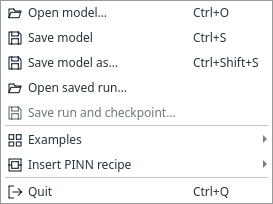
| File menu | Examples versus recipe insertion; saved-run action before training |
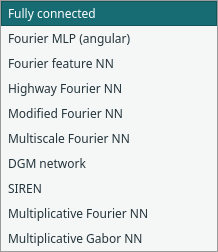
| Architecture list | All ten implemented pointwise choices |
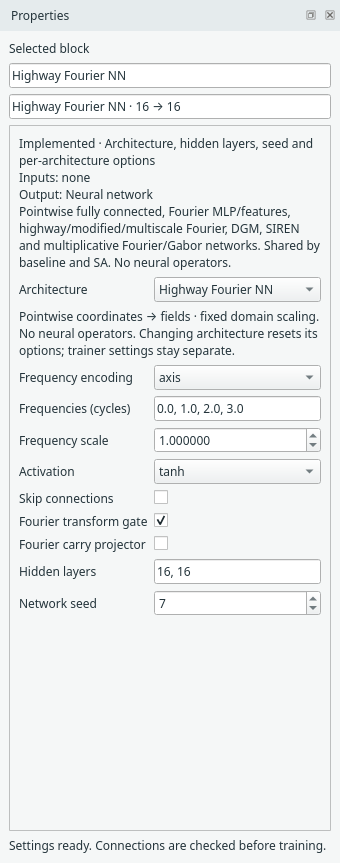
| Highway Fourier properties | Default encoding, frequency and gate/projector controls |
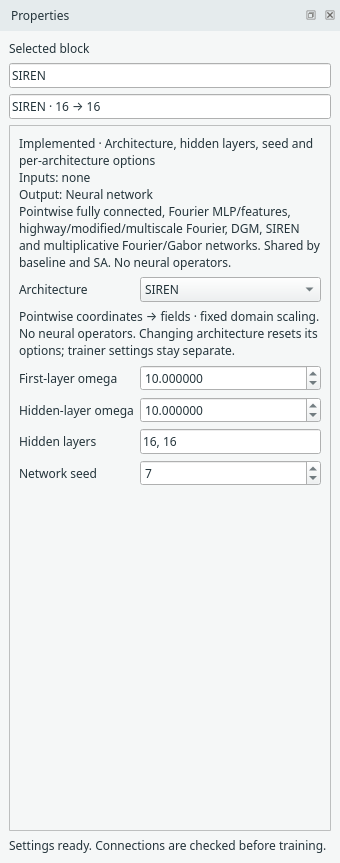
| SIREN properties | Network omega, width and seed controls for the worked example |
| SA trainer properties | Separate network/mask rates, budget and loss weights |
| Expanded recipe | Separate editable network and trainer, external physics/outputs |
| Compact recipe | Same settings/connections retained with internals hidden |
| Training Monitor | Explicitly opened raw/masked loss curves after 700 CPU updates |
| Interval comparison | Explicit reference comparison, approximately 5.32e-4 RMSE on 201 points |
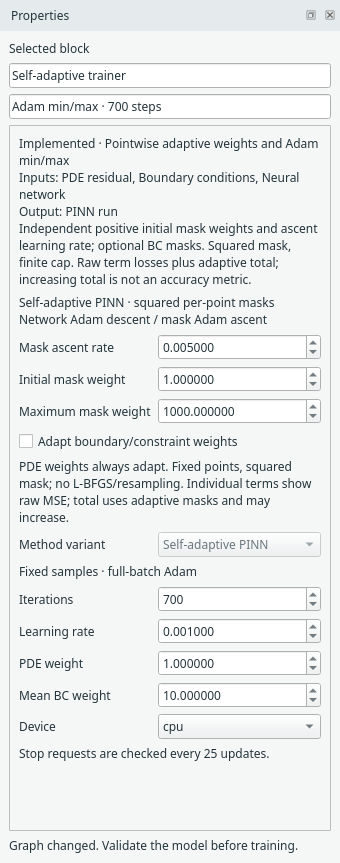
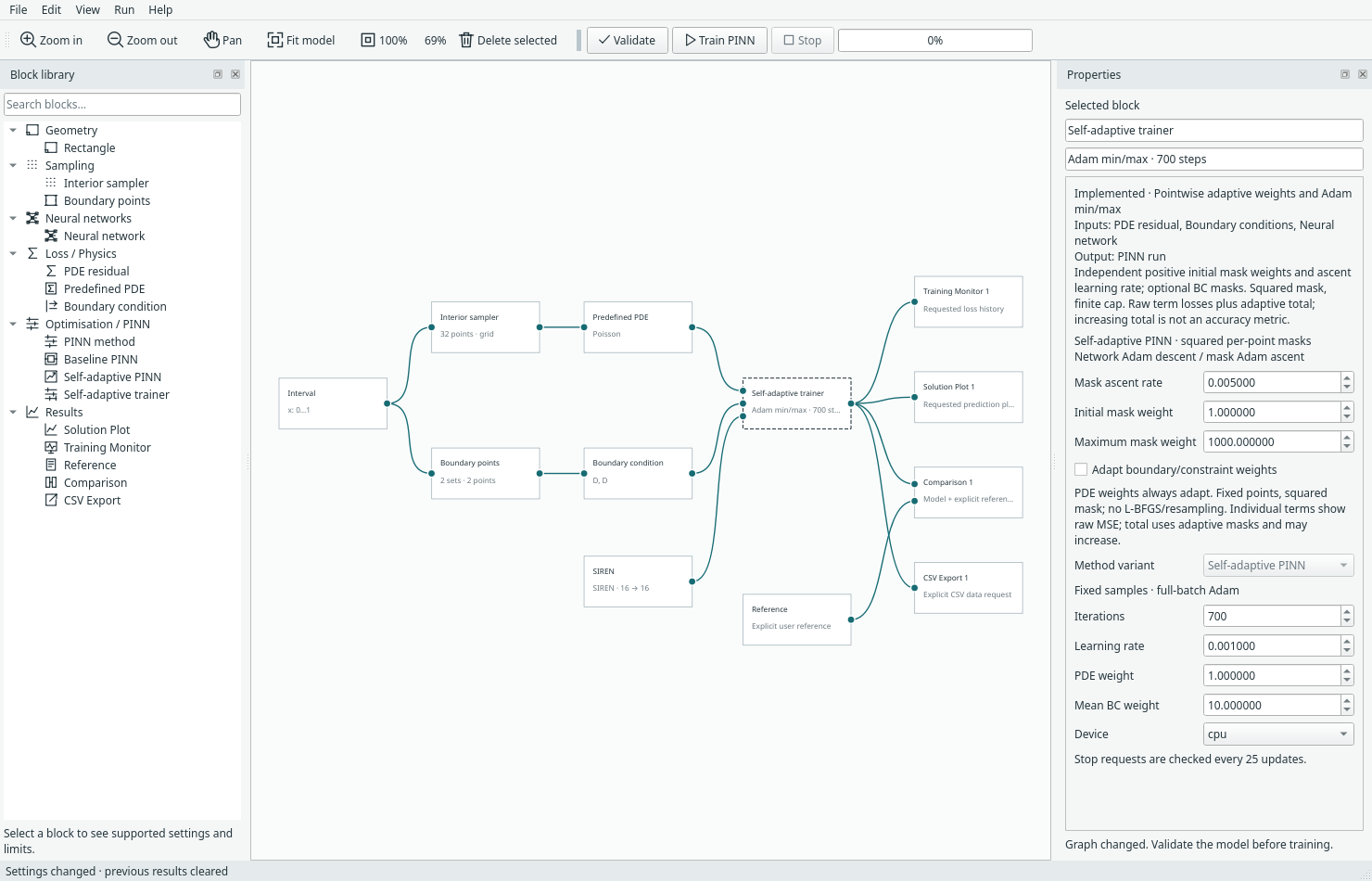
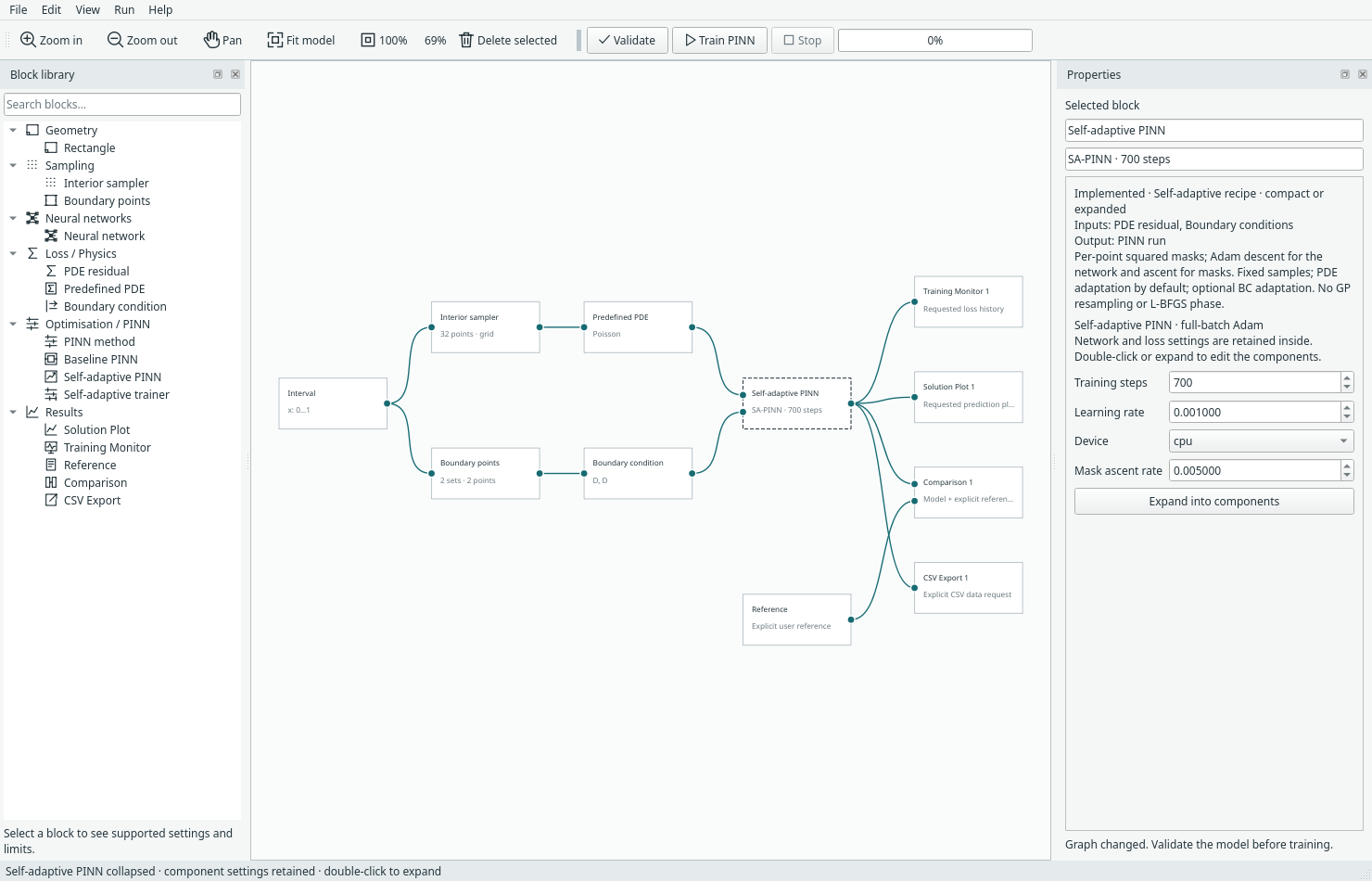
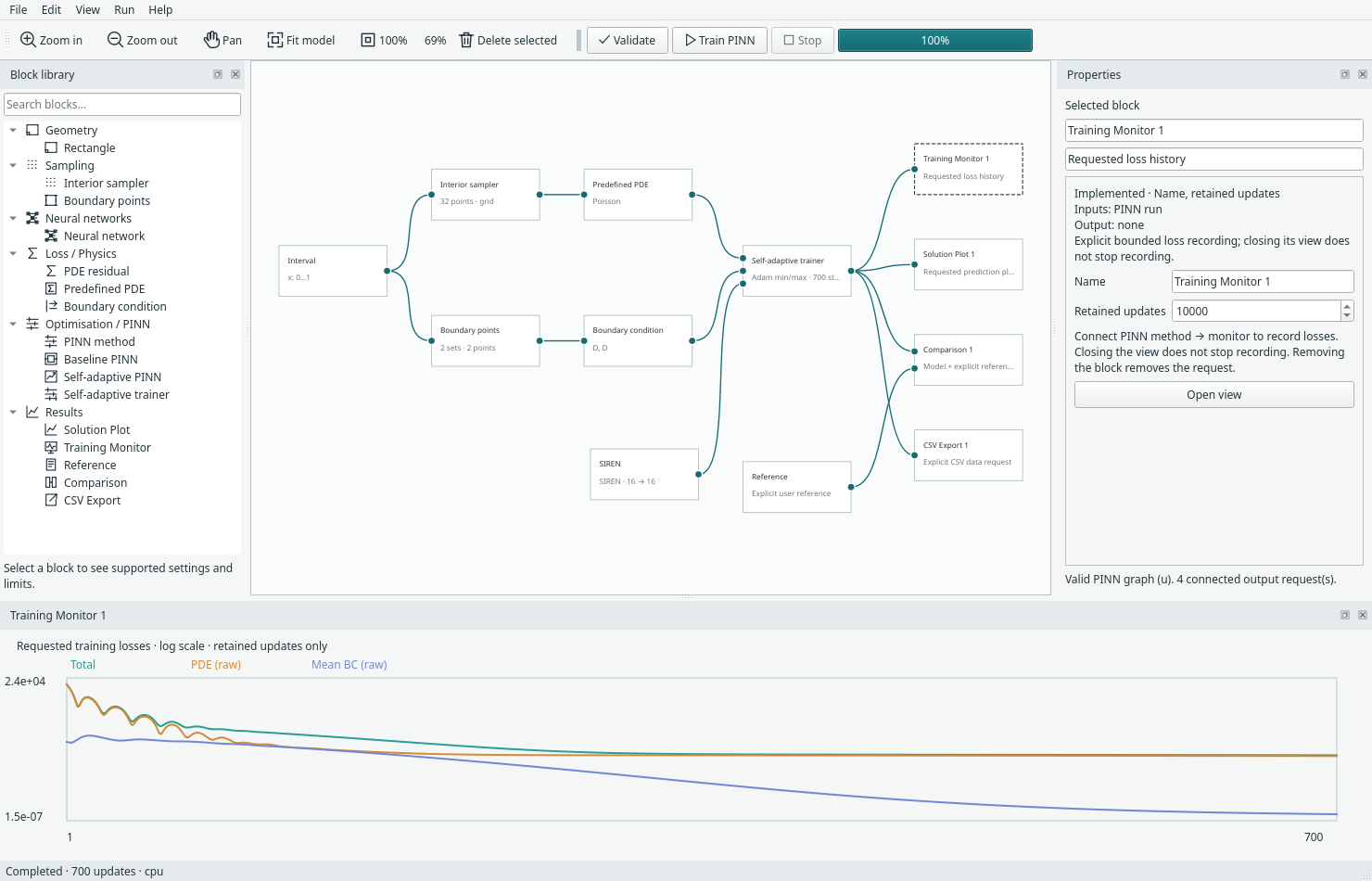
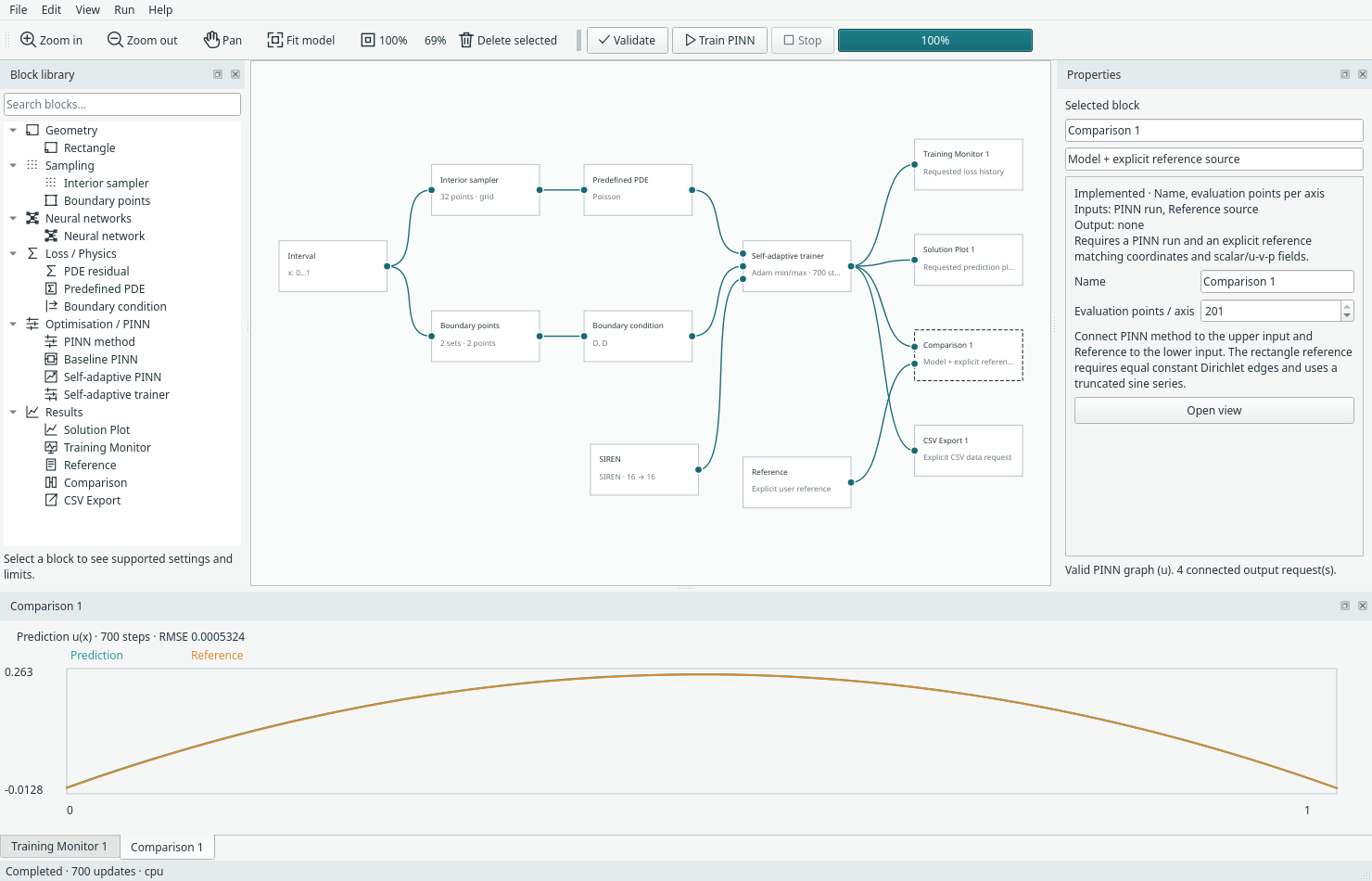
guide-captures.json includes application revision/state, capture-tool hash, rendering platform, image hashes, full numerical settings and the observed comparison metric. UI screenshots illustrate controls and a working example; curated benchmark data carries the separate multi-run evidence and its limitations. No field heatmaps were modified.
Capture into a new folder without touching user layout/recovery:
.venv/bin/python -m examples.capture_ui_docs --output-dir assets/screenshots/guide-recapture
By default the helper uses Qt's offscreen platform. It runs the CPU example and
opens output views explicitly for capture. Existing guide files are protected;
--overwrite explicitly permits replacement of this guide's filenames only.