Blocks, connections and recipes
Start with a complete example when learning. You can then replace one component while retaining the surrounding problem.
Connect compatible ports
Drag from a block's output port to the target's input port. A trainer needs its PDE, boundary-condition and network inputs. A compact recipe already owns the network and exposes its physics inputs. Output blocks connect to a PINN run.
Ports have specific meanings: a geometry connection is not a network connection. The editor rejects incompatible or occupied inputs. Use Validate after replacing a component to find missing or inconsistent dependencies.
Right-click a block for the actions it supports. For example, Rectangle provides sample previews, Training Monitor provides an Open action, and ParaView Export provides an explicit export action. There is no universal plotting action.
Compact and expanded are two views of one construction
The compact recipe contains its network and trainer. Geometry, samples, PDEs, BCs and outputs stay external. Double-click the recipe or choose Expand into components to expose the internal blocks on the canvas.
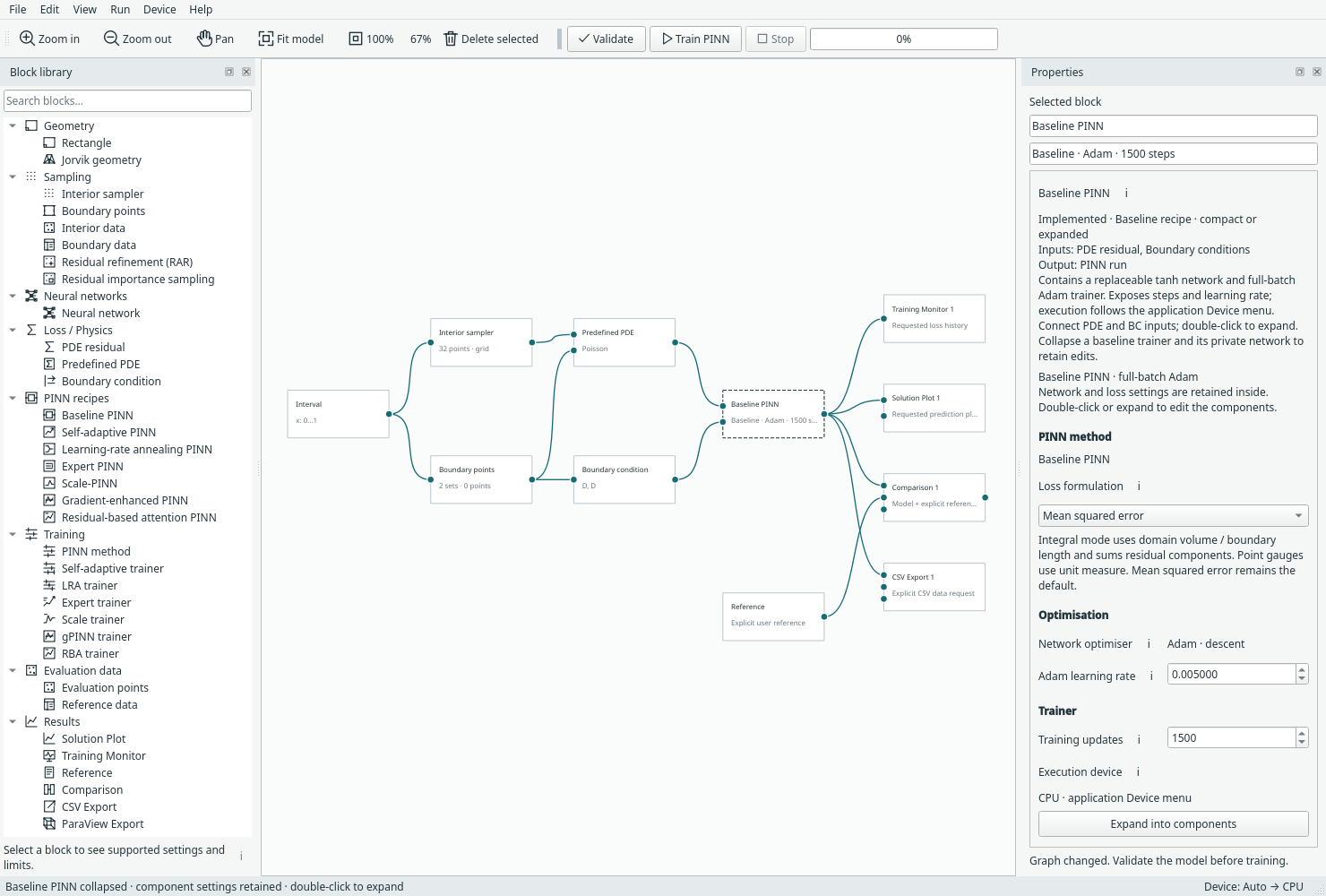
The compact baseline recipe retains the same network and trainer settings. Open full size.
Right-click the expanded trainer and choose Collapse as … to fold it back. Expansion/collapse is undoable and preserves settings and external connections. A shared network cannot be hidden inside one recipe if another trainer needs it.
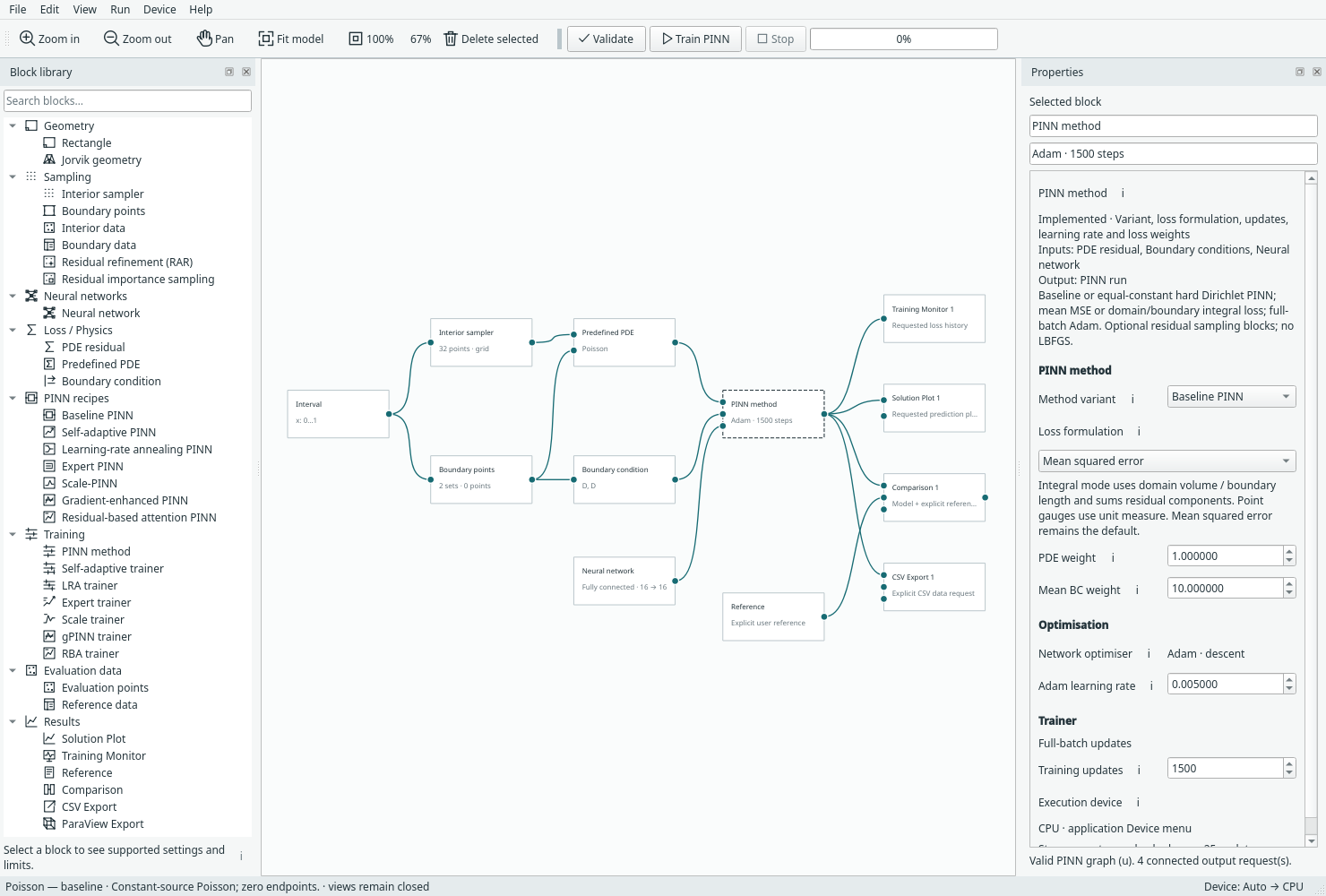
The expanded form lets you edit or replace its network independently. Open full size.
Editing safely
Use selection plus Copy/Paste or the Edit menu to duplicate blocks. Pasted blocks have new identities; copied internal connections remain attached to the copies. Undo/redo restores graph edits. Deleting a required block makes the graph incomplete until you reconnect a replacement.
Numerical setting changes invalidate old results. Moving blocks or renaming an output changes the presentation rather than the trained problem. See Saving and resuming before continuing an old checkpoint.
Next: Geometry and sampling, or network choices. The recipe reference lists exact ownership and limitations.
Validate opens a list of actionable issues. Click a row to select its block and open the inspector; named boundary issues select their set. Recheck after edits. See model validation.