Find your way around
The desktop has three main areas: the Block library on the left, the canvas in the centre, and Properties on the right. Requested result views appear in dockable tabs when you open them. Messages describe operational issues separately.
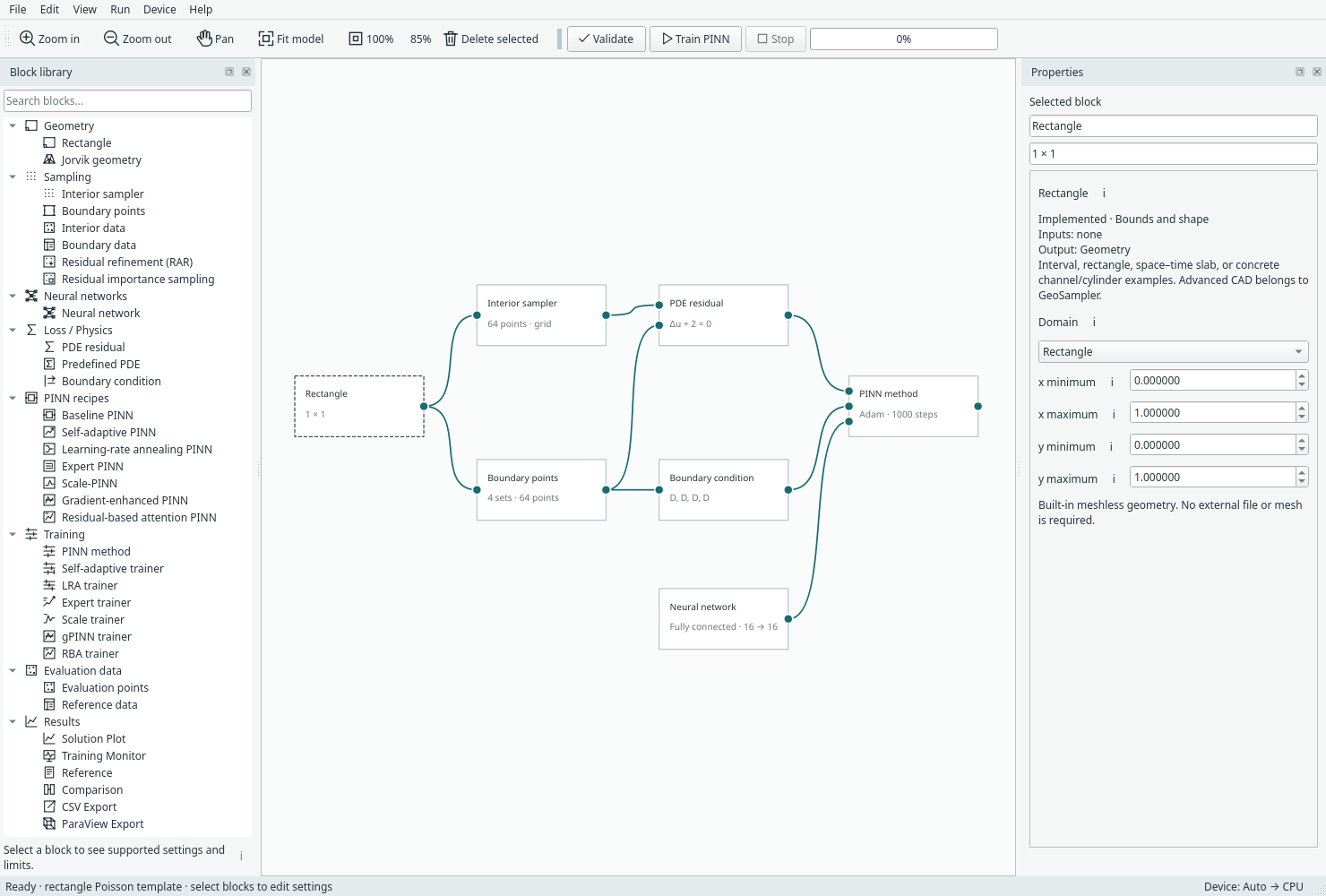
The default workspace keeps the graph central and starts without result panes. Open full size.
Scroll Properties when its controls extend below the visible pane.
Browse or search the library
Expand a category or type in Search blocks…. PINN recipes contains compact constructions; Training contains the expanded method/trainer blocks. Geometry, sampling, physics, networks and results have their own categories.
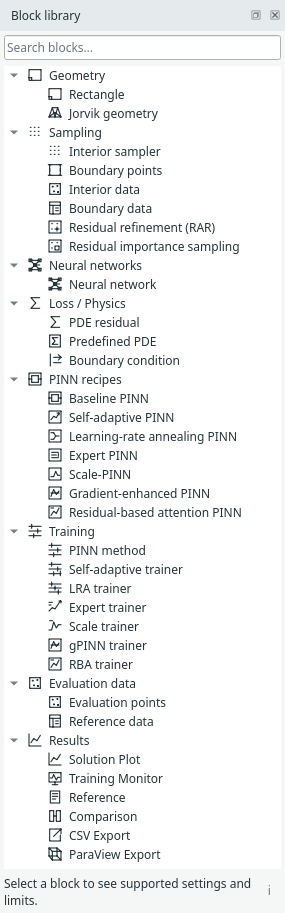
The searchable block library separates recipes, training and results. Open full size.
Double-click a block entry, press Enter on it, or drag it to the canvas. Category headings expand/collapse; they do not insert a block. Clear search to return to your prior expanded/collapsed state.
Navigate the canvas
| Action | Control |
|---|---|
| Zoom around the pointer | Mouse wheel |
| Pan temporarily | Middle-drag or Space + left-drag |
| Stay in pan mode | Toolbar Pan; Escape returns to selection |
| Frame the graph | Fit model, or tap Space on the canvas |
| Actual size | 100%, or Ctrl+0 on the canvas |
| Select/delete | Click a block or connection; use Delete selected |
| Undo/redo | Ctrl+Z / Ctrl+Y, or Edit menu |
| Help | F1 |
Use View to show hidden panes or restore the default layout. A result tab can be floated or docked elsewhere. Hiding a view preserves its data request; deleting the output block removes the request.
Examples versus recipes
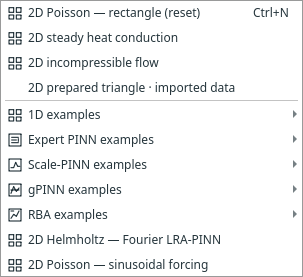
Examples are complete problems; 1D examples have their own submenu and the other cases are labelled 2D. Open full size.
File → Examples replaces the current model after the normal unsaved-work check. File → Insert PINN recipe adds a construction to the existing graph. The current executor supports one active problem root: do not leave the old trainer connected and add a second complete trainer expecting a study to run.
Next: Blocks and connections.