Build your first PINN with Margam
Connect a domain, samples, physics and a PINN method. Train it, open the results you need, then save or export your work. You can start with a complete example and replace its components as you learn the editor.
New here? Start with installation, then follow Your first PINN. No mesh or geometry file is needed.
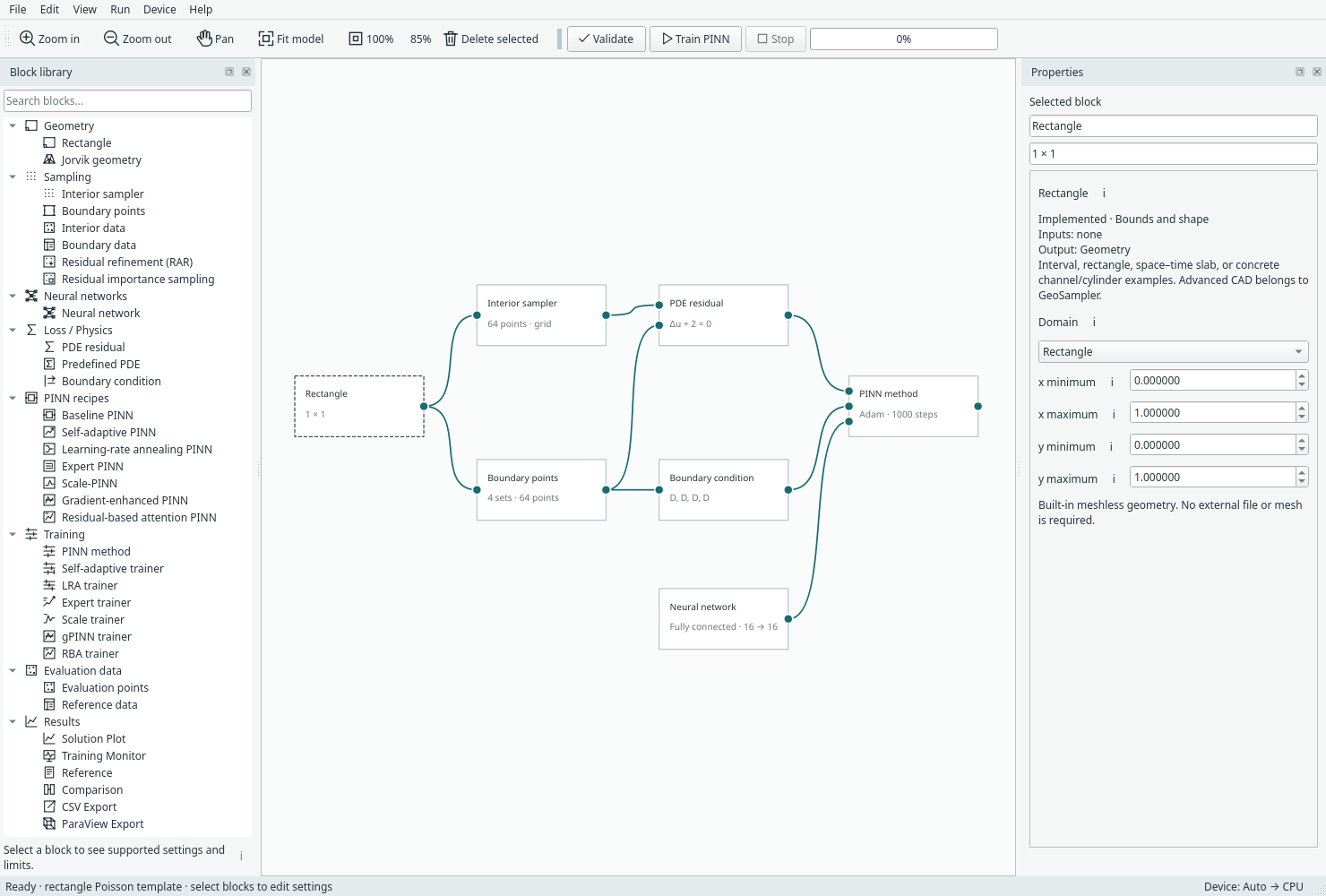
The Margam desktop: block library, model canvas and Properties. Open full size.
Margam brings community methods into one builder. See community methods and attribution for the DeepXDE and NVIDIA Modulus references behind RAR, PINN importance sampling and integral loss.
What would you like to do?
| Your task | Start here |
|---|---|
| Run an example and see where results appear | Your first PINN |
| Find a pane, command or keyboard shortcut | Workspace tour |
| Add blocks, connect them, or use a compact recipe | Blocks and connections |
| Change the domain, sample it, or bring prepared points | Geometry, sampling and data |
| Choose an equation and assign boundary conditions | Physics and BCs |
| Replace a network or choose baseline, SA or LRA | Networks and methods |
| Watch training or compare against a supplied reference | Training and results |
| Keep the model or continue a saved training run | Saving and resuming |
| Export predictions for another tool | CSV and ParaView |
| Understand a missing result or validation message | Troubleshooting |
A few useful distinctions
A complete example includes a physical problem and its connected components. A PINN recipe contains a network and trainer; geometry, physics and outputs stay outside. Training samples teach the model; evaluation points are where we ask it for predictions. An output block requests data; its view opens only when you choose to open it.
Current workflows cover 1D/2D scalar problems and steady 2D incompressible flow. Transient solvers, arbitrary mesh-node evaluation and study/sweep blocks are planned work, not hidden features. Method settings belong to you; this guide explains controls and data flow rather than promising an accuracy level.
Need the details?
The reference catalogue links the numerical API, component support, method equations and file contracts. Recorded results and validation are separate from the walkthroughs. Screenshots here are real current Qt widgets; capture records identify their source and settings.